“Where is the truck?”
The question that paces the day. You call the driver, he is driving, he does not answer, you call the client back to buy time.
A coordinator spends the day asking where the trucks are and writing the answers down somewhere. The operator desk replaces that somewhere: today’s missions, their steps, their delays and the full file of each one fit on a single screen, and every change of state timestamps itself.
The question that paces the day. You call the driver, he is driving, he does not answer, you call the client back to buy time.
Nobody compares the time announced to the client with the real one until the client phones — and by then it is too late to warn anyone.
The dispatcher’s board, the RECAP file, the driver’s messages: three versions of the same mission, and none of them complete.
Today’s board filters the way a coordinator thinks: what carries an alert, what is stuck at customs, what is running back empty, and everything else. The late row is red before anyone looks for it.
The detail that matters. The “empty returns” filter is not decorative: empty mileage is the metric management will later read as the empty-running rate.
One click opens the full file — coupling, steps, attachments, price — without leaving the list or losing the current filter. The dispatcher does not dive into another screen twenty times a day.
The detail that matters. Coming back to the list reloads nothing: not the filter, not the scroll position, not the selected mission.
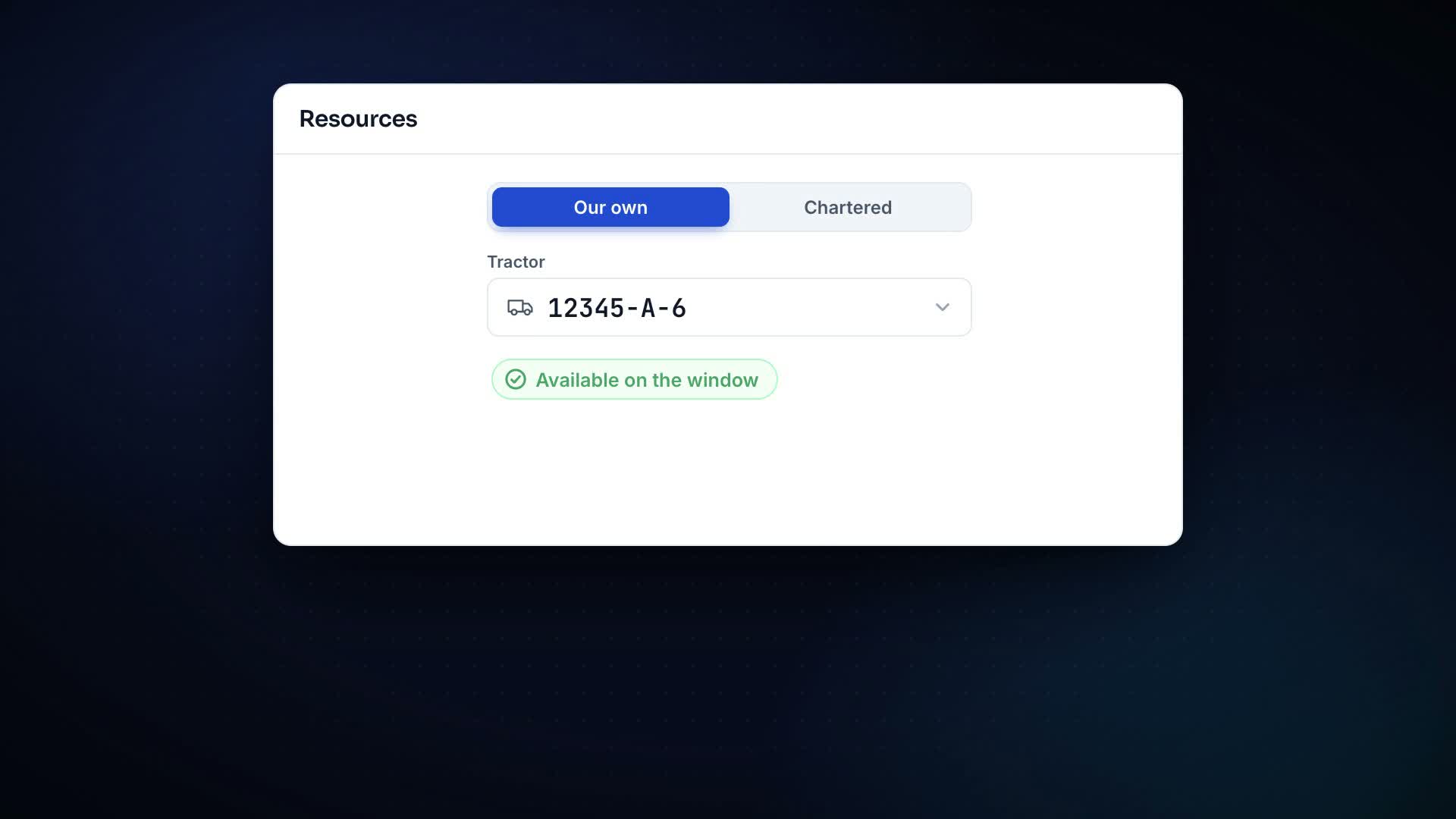
One mission carries up to three drivers, a trailer and several tractors: the trailer changes tractor at Tanger Med and the handover is recorded, with its place and time. In a spreadsheet this becomes two rows nobody ever glues back together.
The detail that matters. The relay is a property of the file, not a note in a comment: the invoice and the CMR then speak about the same mission.
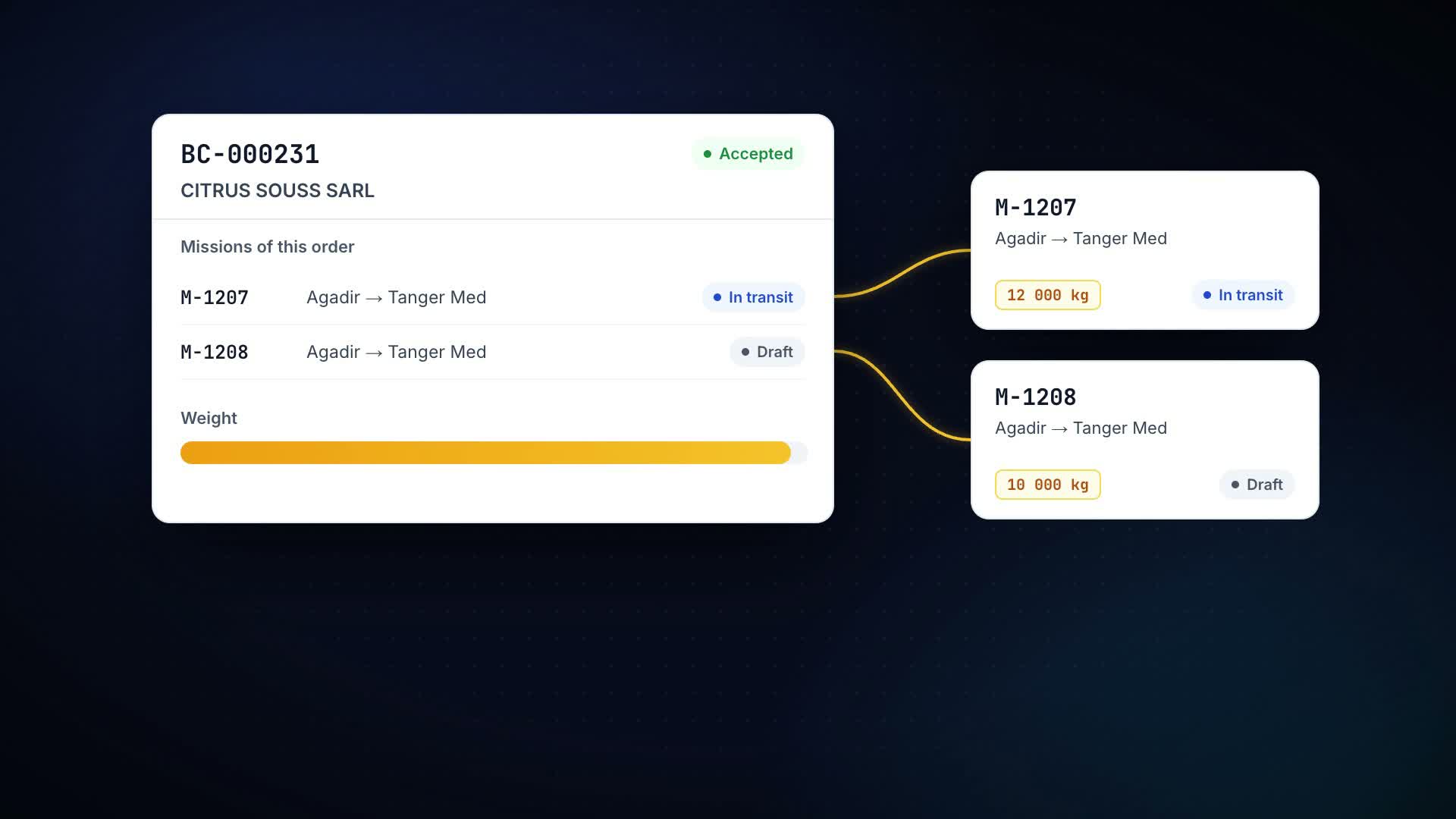
A client order is a commitment: move goods from A to B. It is fulfilled by a single trip, or by two when the freight does not fit in one trailer — and both trips stay attached to the same order. The order file lists its trips and how much of its freight is already on wheels, the mission list folds “by order” or “by client” with one switch, and a trip created from an order automatically picks up the lots still on the dock.
The detail that matters. The fulfilment state — unplanned, partially planned, in progress, delivered — is stored nowhere: it is computed at read time from the trips themselves. A stored state starts lying the day someone touches a trip without going back through the order.
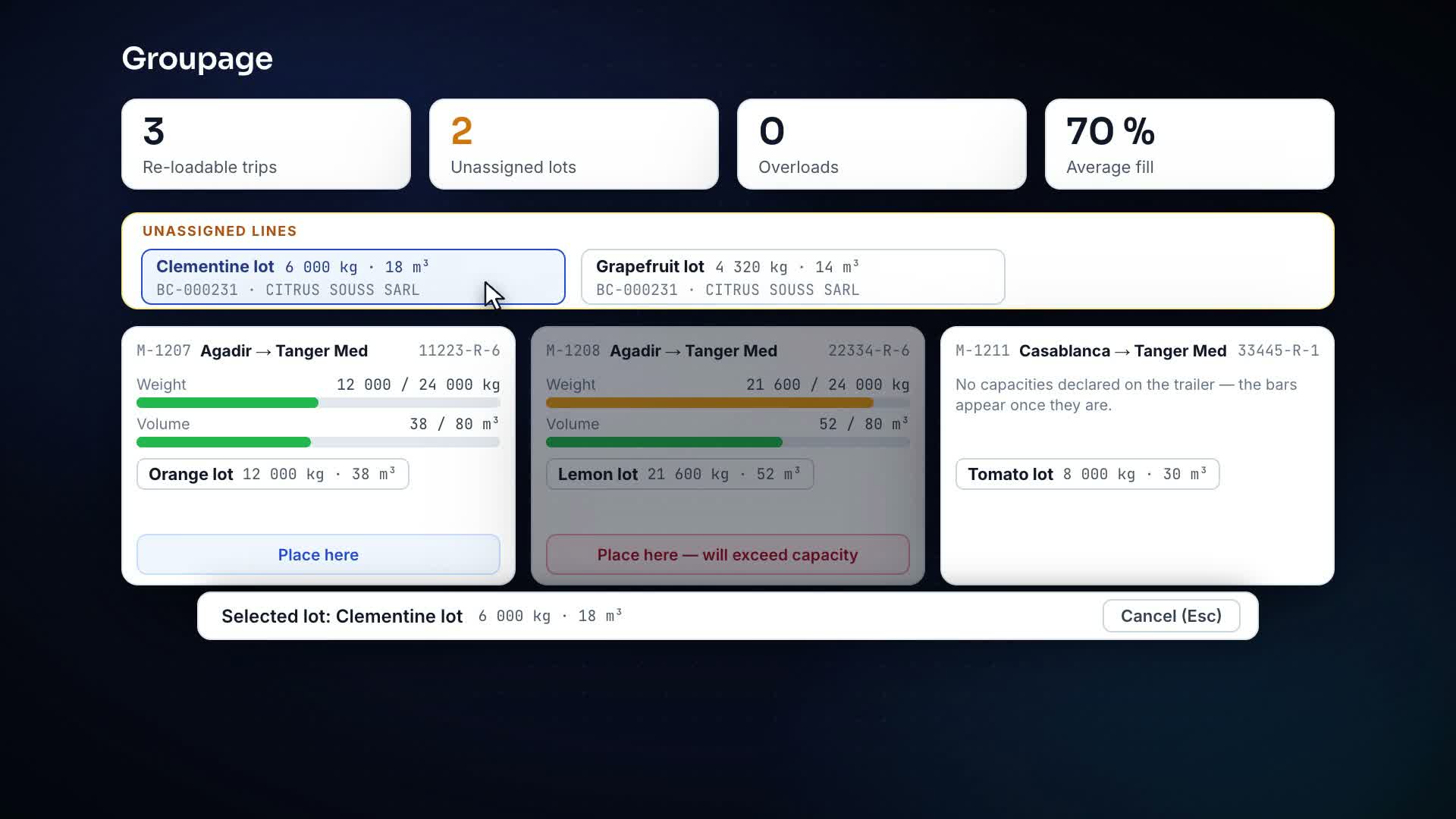
Freight is entered as lines — one lot, one weight, one volume. The load board of the Groupage module (150 MAD/month) shows every re-loadable trip with two bars, weight AND volume, against the trailer’s declared capacity. Moving a lot takes two taps — the lot, then “Place here” on the target trip: no drag-and-drop on a warehouse screen. “Propose a split” orders the lots heaviest first and says, as a number, how many fit nowhere.
The detail that matters. A dimension you never declared shows no bar at all rather than 0 %: a denominator that does not exist must not look like an empty trailer. And an overload warns without blocking — the weighbridge is at the dock, and the dispatcher may know better than the software.
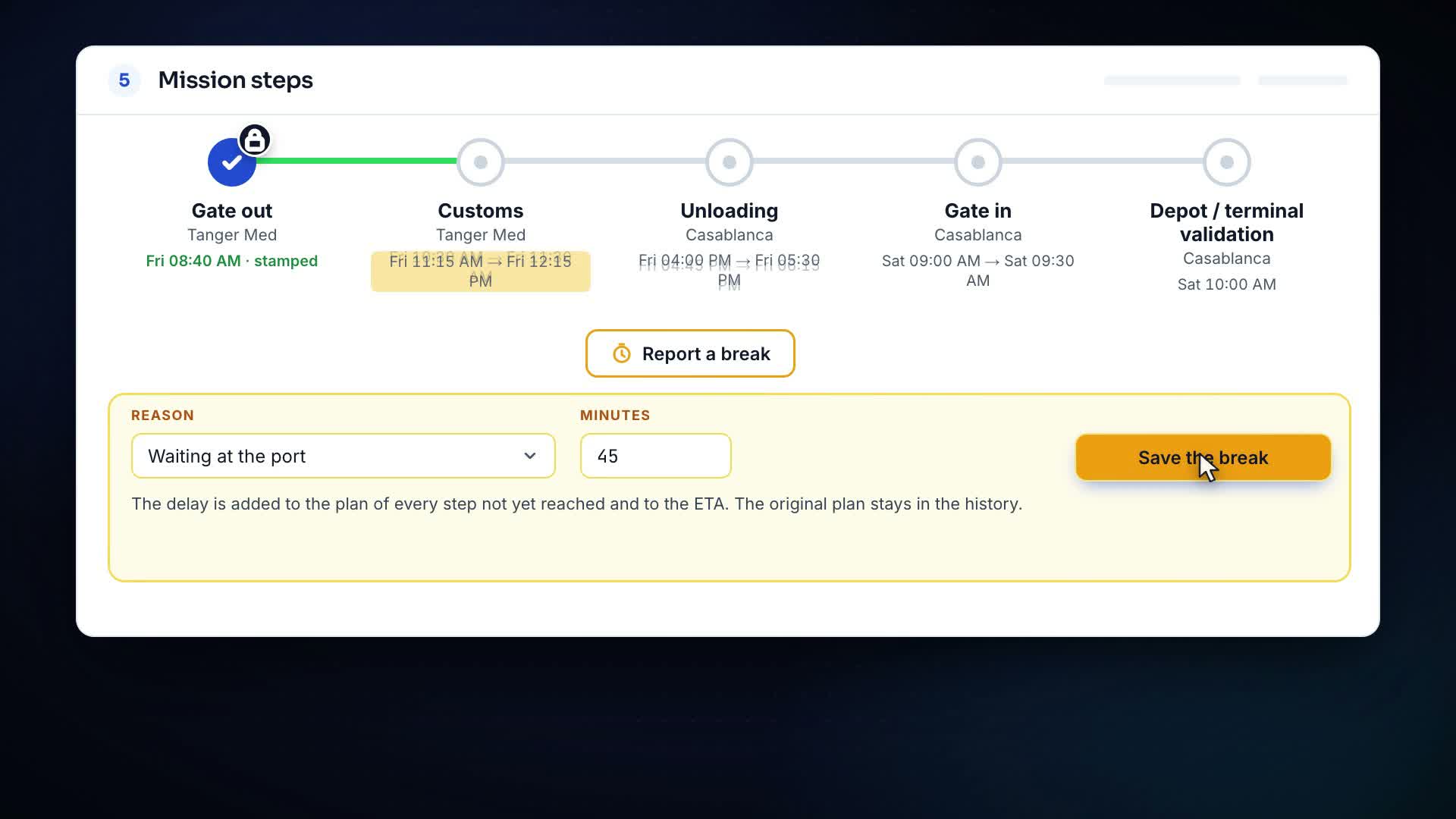
Loading, customs, ferry, unloading, return: each passage records its time and where the information came from — the operator, the driver app or, tomorrow, tracking. A month later, the discussion with the client happens over a log, not over memories.
The detail that matters. The lifecycle is a state machine: an impossible transition is refused by naming the ones that are possible, never by silence.
Eighteen rules watch what degrades quietly: a document about to expire, a mission silent for more than a day, a delay against the ETA, a CMR that never came back, an unpaid invoice, a supplier due date, a bill of exchange to present, a fuel deviation, a service coming due, a driver receipt waiting for a decision. The thresholds are yours.
The detail that matters. One problem = one live alert. It closes when the fact disappears and comes back if you close it by hand while the problem is still there: the system re-checks every five minutes.
Seven roles — director, dispatcher, sales, accountant, mechanic, driver, administrator. The menu is built from the role and the subscribed modules: sales never sees the bank, the mechanic never sees invoices.
The detail that matters. The same check runs on the server: what is not in your menu is not reachable through a direct link either.
| No. | Route | Truck | Status | Alert |
|---|---|---|---|---|
| M-0705 | TANGER MED → MURCIA | 12345-A-6 | In transit | — |
| M-0704 | AGADIR → PERPIGNAN | 23456-B-6 | Customs | — |
| M-0702 | KÉNITRA → TANGER MED | 45678-C-6 | 95 min late | ETA missed |
| M-0699 | TANGER MED → ALGECIRAS | 67890-B-1 | Closed | To be invoiced |
Licence, technical inspection, insurance, registration: if the date has passed, the driver or the truck cannot be put on a mission. The refusal names the document and how many days it is overdue.
The loading plan locks when loading starts, the coupling when the truck leaves, the whole mission when it is closed. You do not retroactively change what a CMR or an invoice already cites.
If the dispatcher and the driver both declare unloading at the same instant, the event is not recorded twice: the second one gets “this mission has already moved on” and a refreshed table.
Every creation carries an operation id: dropped connection, button pressed twice, retry from a phone — the mission stays unique and no number is burned for nothing.
Every move writes the timelines of both trips — the one losing the lot and the one receiving it — in a single transaction, and carries an operation id: the same button pressed twice duplicates nothing. “Undo” is a reverse move, visible in the history, not an erasure.
Geotracking (SendaTrack positions, geofences on ports and customs, recalculated ETA) and the fleet map are approved mockups under development; the driver app, for its part, has been live since September 2026. Mission steps already accept “tracking” as a source: the day the module switches on, nothing changes in your files.
Fleet, drivers, clients, containers, missions, operator desk and alerts are in the seat. No paid module is required to run a company. Freight lines and multi-trip orders are in it as well; the Groupage load board is an optional module at 400 MAD/month.
Half a day to get the hang of it. Creating a mission fits on one screen, and trucks, trailers and drivers can be imported from your spreadsheets once the workspace exists; clients are created in the product.
No: that is the size at which planning still “fits in someone’s head”, and therefore the size at which a document goes missing without anyone noticing. The product demo runs on a company with six tractors.
Yes. Freight lines and orders spanning several trips are part of the base included in the seat: you can already split an order into two trips and see what is loaded. The load board, the two-tap move and the split proposals are the Groupage module, at 400 MAD/month, with a 14-day trial.
 1:50Episode 5What does a mission keep once it has left: who drove, when, at what cost?
 1:51Episode 6How do you create a mission on one page instead of six screens?
 1:47Episode 7Where do customs, seals, steps and the money of a mission live?
 1:39Episode 8What happens when one order leaves on several missions?
 1:57Episode 10How do you spread an order’s freight across its missions without overloading?
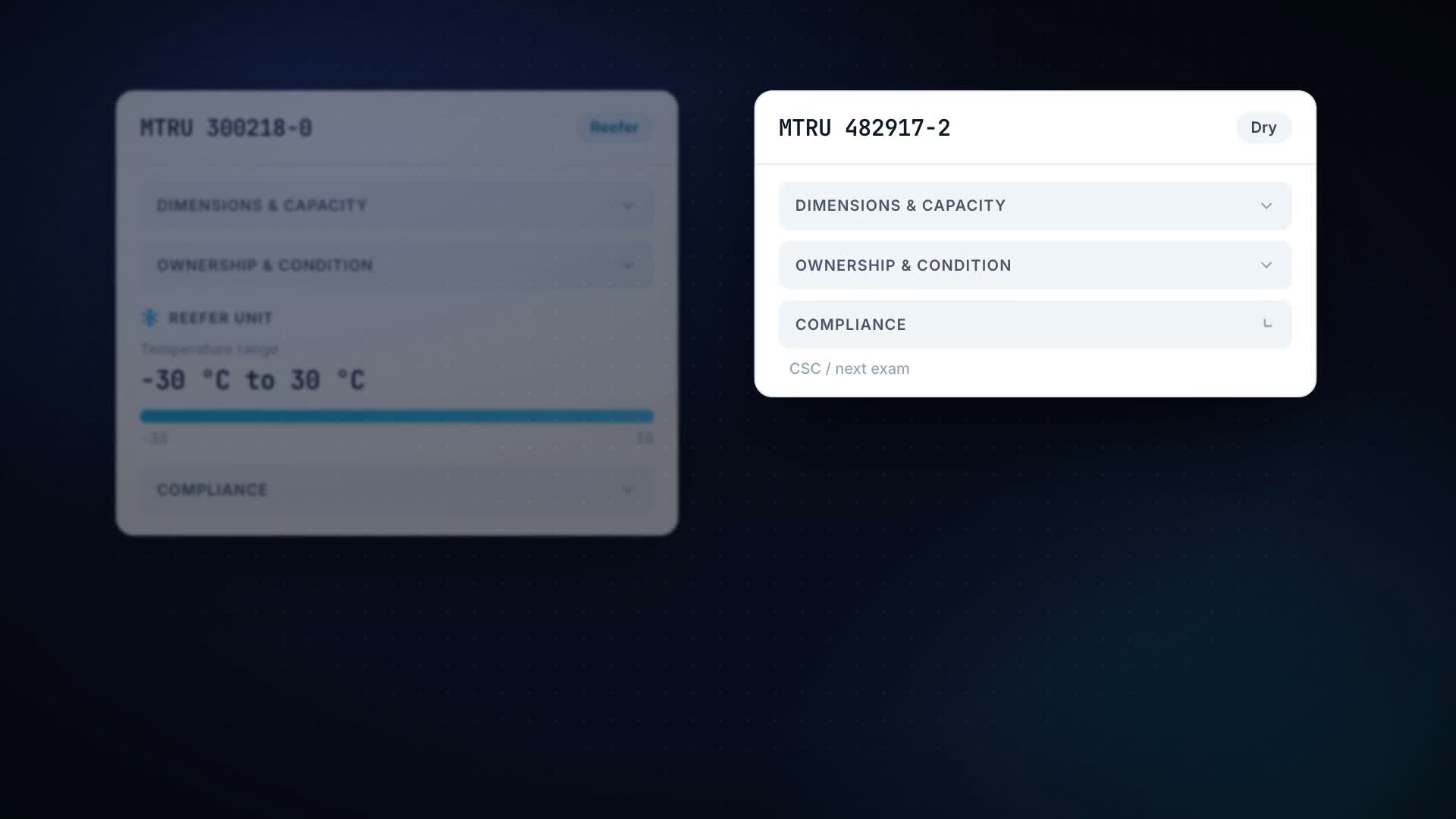 1:58Episode 11How do you find a container’s history when a dispute starts with its number?
Create the account, tick your modules, add the trucks — the first mission leaves today.